Top 5 Gaming Accessories for Enhanced Experience
The right gaming accessories do not make a game easier by magic, but they can make long sessions more comfortable, inputs more reliable, and your whole setup feel less like a compromise.
Maya Collins | July 2, 2026
When people start comparing gaming gear, they usually ask the same practical questions. Which accessory helps the most right away? Is a mechanical keyboard really worth it? Does a better headset change anything if the game already sounds good? And if you only upgrade one or two pieces first, where does the money actually go?
Those questions are worth asking because comfort and posture are not side issues. The OSHA computer workstation guidance and the CDC/NIOSH ergonomics resources both point to the same simple idea: small changes in how you sit, reach, click, and hold your hands can reduce strain over time. That is why gaming accessories matter. The right mouse, keyboard, headset, mouse pad, or controller can make the difference between a setup you tolerate and a setup you are happy to use.
In this guide, I will walk through five accessories that make the biggest practical difference for most players. You will see what each item does, who it helps most, what to look for before you buy, and how to avoid paying extra for features you probably do not need. If you want to keep browsing afterward, the home page and the blog index are the easiest next stops.
Why Gaming Accessories Matter
Gaming accessories are not just decoration. They change how your hands move, how clearly you hear important cues, how long you can play before fatigue sets in, and how much control you feel when a match gets busy. A cheap setup can still run games, of course, but “runs the game” and “feels good to use” are two very different standards.
The most useful accessories do three jobs at once:
- They improve control: a steadier mouse, faster keyboard response, or clearer headset makes it easier to react under pressure.
- They improve comfort: better shape, better padding, and better surface tracking reduce the little annoyances that build up over time.
- They improve consistency: when your gear behaves the same way every session, you spend less energy adjusting and more energy playing.
That last point matters more than people expect. Consistency is what turns a decent setup into a trustworthy one. The best accessory is not the one with the loudest RGB effect. It is the one you stop thinking about because it quietly does its job.
| Accessory | Best for | What to prioritize | Typical budget clue |
|---|---|---|---|
| Gaming mouse | PC players who want more accurate aiming and easier shortcuts | Shape, button layout, sensor quality, weight | Entry-level to premium, depending on wireless and extra buttons |
| Gaming keyboard | Players who type, bind many keys, or want faster feel | Switch type, key feel, build quality, layout | Budget boards can be fine; mechanical models cost more |
| Gaming headset | Anyone who wants clearer audio cues and an easier chat mic | Comfort, sound balance, microphone quality | Wide range; comfort usually beats gimmicks |
| Mouse pad / desk mat | Players who want smoother pointer movement and a cleaner surface | Size, stitching, texture, washability | Usually one of the cheapest upgrades |
| Controller | Racing, platforming, sports, couch gaming, and some action titles | Grip, stick feel, layout, wireless or wired use | Midrange is often the best value |
Quick Terms Worth Knowing
If you are comparing gear for the first time, a few words will come up again and again. They are not hard, but they do help you avoid buying the wrong thing for the wrong reason.
| Term | Plain meaning | Why it matters |
|---|---|---|
| DPI | How sensitive a mouse is to movement. | Useful, but not the whole story. Shape and control matter too. |
| Polling rate | How often the mouse or keyboard reports input to the PC. | Higher can feel more responsive, but the rest of the setup still matters. |
| Actuation point | How far a key has to move before it registers. | Lower can feel quicker; higher can feel more deliberate. |
| Closed-back headset | Earcups that keep more sound in and more outside noise out. | Good for focus and shared spaces. |
| Stitched mouse pad edges | Reinforced edges that resist fraying. | Useful if you want the pad to last instead of curling up at the corners. |
| Wireless latency | The delay between your action and the device response. | Important for competitive play, though modern wireless gear is much better than it used to be. |
1. Gaming Mouse: The Easiest Upgrade for Most PC Players
If you play on a PC, the gaming mouse is usually the first accessory worth upgrading. It affects aiming, menu work, browsing, and any game that asks you to do more than hold a button and hope for the best. A good mouse feels like an extension of your hand. A bad one feels like a small argument.
For most players, the priority list is simple: a comfortable shape, enough buttons for the games you play, a sensor that tracks cleanly, and a weight that does not feel awkward after an hour or two. The main mistake is buying a mouse because the spec sheet looks exciting. The shape will matter more than the brochure every time.
If you want a reliable place to compare mainstream options, Logitech G’s gaming mice page is a good reference point. It gives you a sense of how many shapes, weights, and button layouts are possible before you settle on one that fits your hand and play style.
What to look for
- Shape first: palm grip, claw grip, and fingertip grip all feel different, and the wrong shell shape will annoy you faster than any missing feature.
- Weight second: some players like a very light mouse for fast flicks, while others prefer a little more mass for control.
- Buttons third: MMO and strategy players may want extras, while FPS players often want a simpler layout.
- Sensor quality: nearly every modern gaming mouse is good enough for casual use, so do not overpay for numbers alone.
- Wired vs wireless: wireless is no longer the clunky compromise it used to be, but it does cost more.
Who benefits most
Fast-paced shooters, MOBAs, strategy games, and any title with dense menus or hotkeys benefit immediately. Even if you mostly play slower games, a better mouse makes everyday PC use feel cleaner. That is the quiet advantage. It keeps paying off when you are not gaming, which is more than can be said for a lot of shiny purchases.
Budget rule of thumb
If your current mouse is awkward, unreliable, or tiring to hold, a modest upgrade is enough. You do not need the most expensive model on the shelf. Look for the model that fits your hand, has the buttons you actually use, and offers a shape you can live with for years. The nicest gaming mouse is the one you forget about because it never gets in the way.
2. Gaming Keyboard: Mechanical or Membrane?
A keyboard matters because games are full of repeated inputs. You move, crouch, heal, reload, switch items, ping, and type in chat. A good keyboard makes those actions feel crisp and dependable. A bad one makes you feel like your fingers are negotiating with a sponge.
The first decision is usually mechanical versus membrane. Mechanical boards often cost more, but they generally give you clearer key feel and more durable switches. Membrane boards can still be perfectly usable, especially if you want a quieter and cheaper setup. The right answer depends on how much you value feedback, noise, and customization.
For a broad look at mainstream gaming models, Razer’s gaming keyboard lineup is a useful example. It shows how much variety exists in switch feel, size, and feature set without forcing you into one narrow idea of what a gaming keyboard should be.
What to look for
- Switch feel: choose the kind of key response that matches your hands and your patience for noise.
- Layout: full-size boards include a numpad; tenkeyless and smaller boards free up desk space.
- Programmable keys: useful if you play games with lots of macros or repeated actions.
- Backlighting: nice in dim rooms, but it should not be the reason you buy the board.
- Build quality: a board that flexes badly or slides around is annoying in ways RGB cannot fix.
Mechanical vs membrane in plain English
Mechanical keyboards usually feel more precise and are easier to tune to your taste. They are popular with players who want a sharper response and do not mind a bit more noise. Membrane keyboards are often softer, quieter, and cheaper. They are perfectly fine if you are not chasing a specific feel or competitive edge.
If you play a wide mix of games, mechanical is often the safer long-term choice. If you mostly want a simple board that works and does not shout across the room, membrane may be enough. As usual, the best decision is the one that fits your space and habits, not someone else’s benchmark sheet.
A practical buying rule
Spend on the keyboard if you type a lot, use many hotkeys, or care about the feel of each press. If the rest of your setup is already solid, a better keyboard can make every session feel more polished. If your current board is fine and you are just curious, do not let marketing talk you into a replacement you do not need yet. A working keyboard is not a moral failure.
3. Essential Headset: Clear Sound, Clear Chat, Less Fatigue
A headset does more than deliver sound. It helps you hear footsteps, positional cues, voice chat, and the small audio details that make game worlds feel alive. It also lets you talk without dragging a microphone across the room or setting up a separate audio chain that feels like homework.
Comfort matters here more than many shoppers expect. If the pads get hot, the clamp is too tight, or the headset keeps shifting on your head, you will notice after twenty minutes, not two hours. That is why fit should be a first-class decision, not a side note.
If you want a practical category reference, SteelSeries’ gaming headsets page is a solid example of how brands separate wired and wireless options, different mic styles, and comfort-focused designs.
What to look for
- Sound balance: you do not need booming bass if it drowns out footsteps or chat.
- Microphone clarity: clear voice pickup is more useful than flashy marketing about “broadcast grade” anything.
- Comfort: headband padding, earcup depth, and weight all matter over time.
- Wired or wireless: wired is simple and dependable; wireless gives you freedom, but it needs charging.
- Closed-back design: often a safer bet for shared spaces because it blocks more outside noise.
Who benefits most
Anyone who plays competitive online games, co-op games, or story-driven games with strong atmosphere will notice the difference. A headset can also help if you share a space and want to keep the room noise under control. It is one of the few accessories that improves both communication and immersion at the same time.
Budget rule of thumb
You do not need to chase the top of the range unless you are very picky about sound or microphone quality. A well-balanced midrange headset is usually the smartest buy for most people. Spend enough to get decent padding and a microphone people can understand, then stop before you start paying for features you will not actually use.
4. Mouse Pad or Desk Mat: Small Spend, Real Improvement
This is the accessory people dismiss until they try a good one. A proper mouse pad does not just protect the desk. It gives the mouse a predictable surface, which helps with accuracy and consistency. If your mouse skips, scrapes, or drags unevenly, the pad may be doing more work than the mouse itself.
Mouse pads also help with comfort. A larger surface can keep your wrist movement more natural, and a desk mat can make the whole setup feel cleaner and less cramped. That is a small thing in the best possible way.
For mouse pads, the same broad buying logic still applies: speed surfaces, control surfaces, larger mats, and stitched edges are the features that tend to matter most.
What to look for
- Size: if you use low sensitivity, a larger pad is often worth it.
- Surface type: smoother surfaces glide faster; textured surfaces often give more control.
- Edge stitching: helps the pad hold up over time.
- Base grip: a pad that slides around is annoying no matter how pretty it looks.
- Ease of cleaning: a washable pad is practical if you use your desk for more than gaming.
Who benefits most
Nearly everyone on PC benefits from a decent mouse pad, but the effect is strongest for players who aim carefully or spend long hours at the desk. If your current surface is rough, inconsistent, or tiny, this is an easy upgrade with a very low regret rate. It is not glamorous. It is useful. That is often better.
A quiet truth
People often spend too much on the flashy accessories and too little on the boring foundation pieces. A mouse pad is the opposite of flashy. It can still improve control more than a pricier headset if your current desk surface is part of the problem. That is not exciting, but it is honest.
5. Controller: Best for Certain Games and Softer Setups
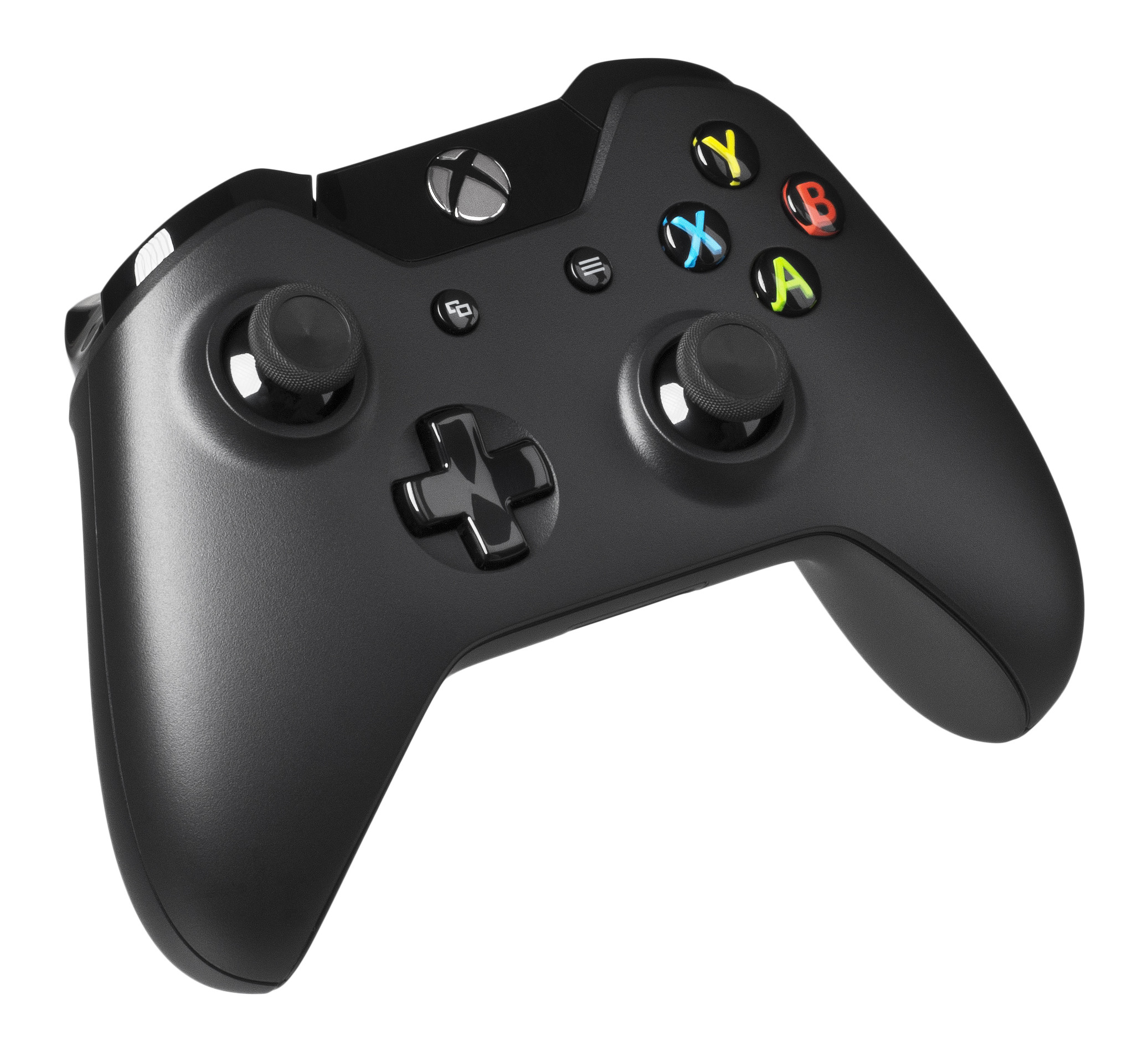
Not every game wants a mouse and keyboard. Racing games, platformers, sports games, couch-friendly action titles, and many indie games feel better with a controller. A good controller also makes it easier to relax a little. Sometimes your hands need that. They are not machines, no matter how committed the gamer chair marketing is.
The main buying question is whether you want a controller for occasional use or for regular play. If it is occasional, pick something comfortable and familiar. If it is a core part of your gaming routine, pay more attention to grip texture, stick quality, button feel, and wireless reliability.
What to look for
- Grip: the controller should sit naturally in your hands without making you squeeze harder than necessary.
- Stick feel: smooth, accurate movement matters more than a fancy finish.
- Button placement: a layout that matches your hands is worth more than extra cosmetic detail.
- Battery or cable: wireless is convenient; wired is simple and never runs out of charge mid-session.
- Compatibility: make sure it works with the games and platforms you actually use.
Who benefits most
If you move between PC and couch gaming, a controller is a practical bridge. It is also the better choice for genres built around analog movement or relaxed play. You do not need one if every game you play is mouse-and-keyboard friendly, but many players eventually end up wanting both. That is not indecision. It is simply a healthy respect for game design.
How to Choose in the Right Order
If your budget is limited, do not buy everything at once. Start with the item that fixes the most friction in your current setup. For many PC players, that is the mouse. For others, especially people who play long sessions with voice chat, it may be the headset. If your desk surface is terrible, a mouse pad might be the fastest and cheapest improvement of all.
- Fix comfort problems first: the accessory that causes the most fatigue should usually be replaced first.
- Fix control problems next: if aiming, typing, or hearing is inconsistent, upgrade the device that handles that task.
- Then fix convenience: wireless freedom, extra buttons, and custom lighting are nice after the core job is handled.
- Finally, match the rest of the setup: once the basics are covered, choose the accessory that fits the way you actually play.
If you are building out a larger PC setup at the same time, the gaming PC building guide is a useful companion read. Accessories do their best work when the machine they support is already stable and comfortable to use.
Conclusion
Gaming accessories are worth the money when they remove friction from your setup. A better mouse improves control. A better keyboard improves repeat input and comfort. A better headset improves clarity and focus. A mouse pad smooths out the surface you rely on every minute. A controller makes certain games feel natural instead of forced. None of these upgrades is magic, but each one can make the experience more pleasant in a very real way.
The simple lesson is this: start with the accessory that causes the most annoyance, not the one with the loudest packaging. Buy for fit, comfort, and consistency first. Buy for color and extras later, if at all. That approach keeps you from overspending on features that look exciting on a product page but disappear the moment the game starts.
If you are still comparing options, keep the home page handy for navigation and return to the blog index when you want the next practical guide. If you already have a favorite mouse, keyboard, headset, or controller, that is useful information too. Good setups are often built one sensible decision at a time.