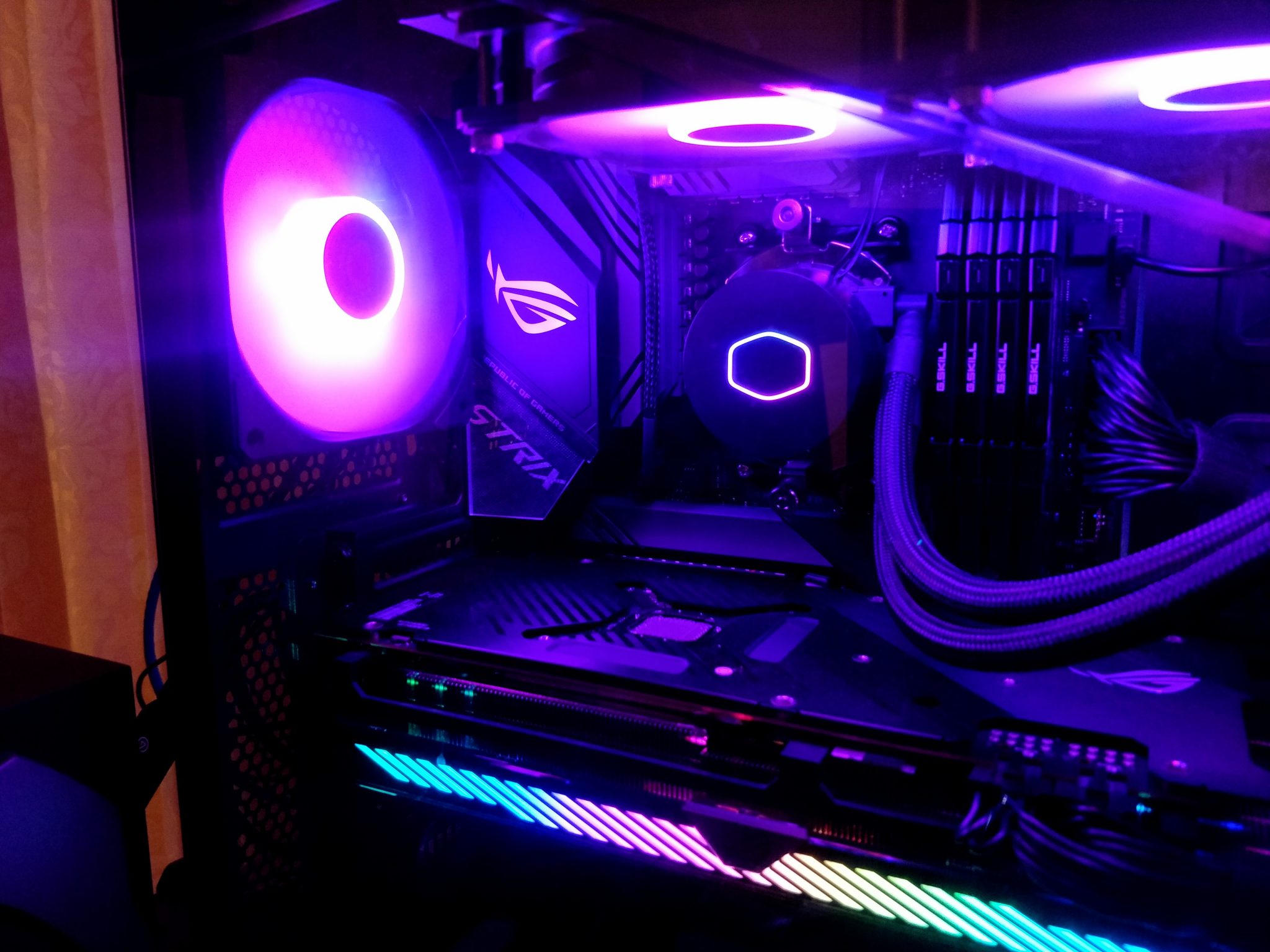
How to Build a Quiet Gaming PC in 2026: Practical Noise-Reduction Tips
Gaming PC guide
How to Build a Quiet Gaming PC in 2026: Practical Noise-Reduction Tips
A quiet gaming PC is not a unicorn wearing noise-canceling headphones. It is a machine that moves air efficiently, avoids needless fan drama, and keeps the loudest parts under control without kneecapping performance.
Why quiet gaming PCs matter more now
Modern gaming hardware pushes more heat through your case, but it also gives you better control over how that heat gets handled. Fan curves, Zero RPM modes, quiet power profiles, and smarter motherboard firmware mean you can tune noise instead of simply accepting the soundtrack of a small jet trying its best.
That tradeoff matters whether you are building new or calming down an existing rig. The goal is not silence at any cost; it is a build that stays comfortable to use while still gaming hard.
Start with the loudest parts first
If a PC is noisy, the usual suspects are easy to spot: the GPU, CPU cooler, case fans, and power supply. Storage can contribute too, especially if mechanical drives are still in the mix. Tackle the biggest sound sources first and you will get the fastest payoff.
- GPU: often the loudest part under load.
- CPU cooler: reacts quickly to temperature spikes.
- Case fans: can get whiny if airflow is restricted.
- PSU: usually quiet, but worth choosing carefully.
Choose a case that helps air move, not fight
Corsair notes that better airflow can let fans run slower, and Noctua’s airflow guidance says the same thing in more engineering-flavored language. In plain English: a case that breathes well usually makes less noise because the fans do not have to wrestle the air like it owes them money.
Look for a case with a front mesh panel, sensible dust filtering, and enough room for 140 mm fans where possible. Larger fans can often move the same air at lower speeds, which is exactly the kind of tiny-but-useful advantage quiet builds love.
be quiet! also makes a convincing case for reduced turbulence and sound-dampening design in its quiet-focused enclosures. That does not mean every silent-looking box is automatically excellent, but it does mean case design can help with resonance and air noise if you pick carefully.
Pick cooling hardware that can do more while spinning less
One of the cleanest ways to reduce noise is to buy cooling that does not need panic-level fan speed to do its job. Big air coolers, well-sized AIO liquid coolers, and quality case fans can all lower RPM while keeping temperatures in check.
- Larger air coolers: often excellent for steady, low-noise CPU cooling.
- Efficient AIOs: can help if you prefer the look or layout of liquid cooling.
- Quality fans: better bearings and blade design matter more than marketing confetti.
A practical rule: if the cooler can handle your workload without constantly ramping up and down, your ears get a calmer day.
Use fan curves and Zero RPM modes
Modern boards and GPU tools make it easier than ever to shape fan behavior. AMD’s current Radeon tuning guidance documents fan curves, Zero RPM behavior, and power tuning options; NVIDIA’s power-mode reference also includes a Quiet mode. That means idle noise and light-load noise can often be trimmed without touching core performance in a dramatic way.
Start with conservative fan curves. Keep a little thermal headroom instead of chasing the lowest possible number, because fans that surge every ten seconds are basically the audio equivalent of a nervous toe tap.
For help understanding the mechanics behind that approach, see AMD’s GPU tuning guide and NVIDIA’s Quiet power mode reference.
Tune the GPU for quieter operation
Since the graphics card is often the loudest component during gaming, it deserves its own noise-reduction pass. If your card supports it, use a balanced or quiet profile, lower the power limit a bit, and build a fan curve that avoids sudden spikes. The point is not to hobble the card; it is to stop it from sprinting every time the scene changes.
For example, a modest power limit reduction can sometimes shave off a surprising amount of fan noise while keeping real-world performance close enough for most players. Test carefully, especially with the games you actually play.
If you want a hardware example from the MaximoNET library, compare the ASUS HD 7870 DirectCU II TOP Edition and the AMD Radeon HD 6870 to see how cooler design and layout affect the discussion.
Reduce vibration and resonance
Noise is not only about fan speed. A rattly case can amplify vibration from fans, drives, and even a loosely mounted cooler. Use rubber mounts where available, tighten hardware properly, and keep cables from grazing fan blades like they are trying to start a tiny metal choir.
Also consider drive choice. SSDs are quieter than mechanical drives, and removing a spinning disk can reduce both noise and vibration. That is one of the easiest low-drama upgrades available.
BIOS and firmware basics that affect noise
Your motherboard firmware is not just a settings basement. It is where fan headers, thermal targets, and sometimes pump headers get their marching orders. AMD’s firmware guidance for Ryzen systems reinforces that BIOS updates still matter, especially when you want better compatibility or improved tuning behavior.
Before changing too much, confirm fan headers are mapped correctly, check whether your board offers PWM/DC control where appropriate, and update the BIOS only after reading the release notes. A good firmware setup can make the rest of the tuning work much easier.
A simple quiet-build checklist
| Step | What to do | Why it helps |
|---|---|---|
| 1 | Choose a case with strong airflow and low turbulence | Fans can run slower for the same cooling |
| 2 | Use a larger CPU cooler or efficient AIO | More cooling headroom means less fan ramping |
| 3 | Set sane fan curves and use Zero RPM where safe | Reduces idle and light-load noise |
| 4 | Tune the GPU with a quiet profile or modest power limit | Targets the loudest component first |
| 5 | Cut vibration with secure mounting and SSDs | Removes extra resonance from the equation |
Need a practical starting point?
If you are tuning an existing PC, begin with the GPU fan curve and case airflow, then work your way toward BIOS and cooler upgrades. If you are building from scratch, start with the case and cooler first; that is where a lot of the noise story is quietly decided.
For more browsing around the site, visit the MaximoNET home page, check the main index, or use the search page to find related hardware articles and guides.
If you like comparing notes with the rest of the site, the About page and Contact page are also available for the usual human things like questions, suggestions, and the occasional complaint about fan noise with excellent timing.
Bottom line: a quiet gaming PC is mostly the product of decent airflow, sensible tuning, and not forcing parts to work harder than necessary. The machine may still make some noise under load, because physics is rude like that, but it does not have to sound like it is auditioning for a turbine documentary.
Further reading from the manufacturers: Corsair on cooling and noise, Noctua on airflow fundamentals, and be quiet! on low-noise case design.