The Ultimate Guide to Choosing the Right Motherboard for Your Gaming PC
Choosing a motherboard can feel like the least glamorous part of a gaming PC build, right up until the moment the wrong socket, chipset, or form factor stops the whole project. The motherboard is the board that connects your CPU, RAM, GPU, storage, and peripherals so they can work together. If you want a build that is easier to upgrade, cooler to run, and less stressful to assemble, this is the part worth slowing down for.
This guide walks through the specs that matter most, how to check compatibility, and what the major brands usually do well. If you are also getting familiar with the rest of the site, you can start from the homepage, browse the blog, or learn more on the About page.
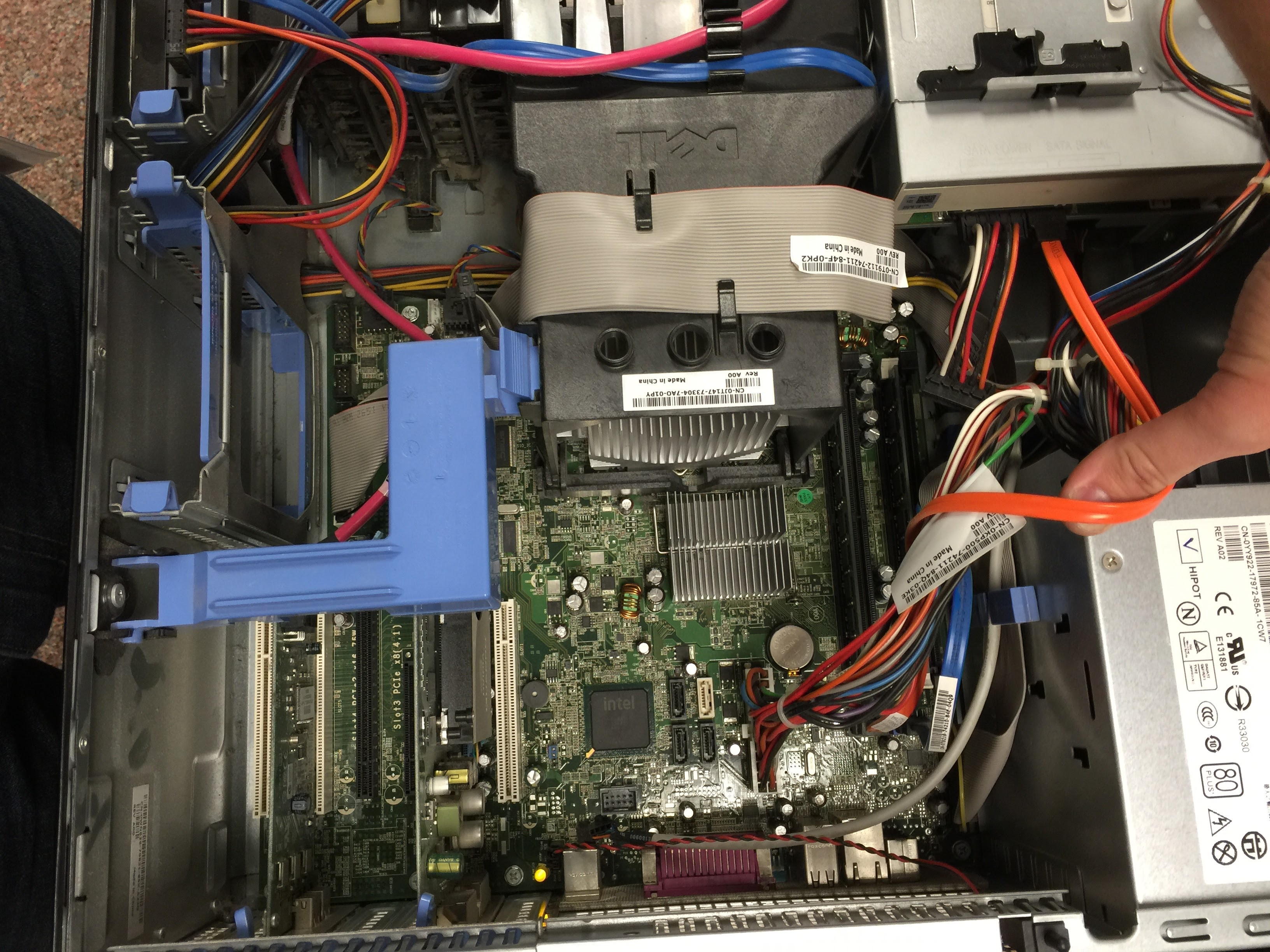
Introduction to Motherboards
A motherboard is the main circuit board in a PC. It provides the sockets, slots, and connectors that let your processor, memory, graphics card, storage drives, and case devices communicate. In gaming systems, the motherboard usually does not raise frame rates by itself, but it does influence the features, stability, and upgrade path of the whole machine.
- Socket: the physical mount for your CPU.
- Chipset: the controller set that determines which features the board supports.
- Form factor: the size and shape of the board, such as ATX or Micro-ATX.
If you want a plain-language refresher on the parts in a modern PC, Intel’s motherboard overview is a useful starting point, and it pairs well with the compatibility checklists below.
Key Specifications to Consider
The question is not only whether the motherboard works. The better question is whether it works well for the way you want to build, cool, and upgrade your PC.
| Specification | Why it matters | What to look for |
|---|---|---|
| Form factor | Determines case fit and expansion room | ATX for more slots, Micro-ATX for smaller builds, Mini-ITX for compact systems |
| Chipset | Sets the feature tier and overclocking support | A chipset that matches your CPU goals and desired features |
| Socket type | Must match the CPU exactly | Check the CPU manufacturer’s supported socket before buying |
| RAM slots | Controls memory capacity and upgrade flexibility | Two or four slots, plus support for the RAM speed and generation you plan to use |
| Expansion slots | Affects graphics cards, capture cards, and add-in devices | At least one reinforced PCIe x16 slot for the GPU |
For chipset and socket compatibility, the safest move is to confirm the CPU support list on the motherboard manufacturer’s product page. ASUS keeps a practical CPU support FAQ that shows the sort of details you should verify before ordering parts.
- ATX: a full-size board with more room for expansion and often better rear I/O.
- Micro-ATX: a mid-sized board that balances cost, features, and smaller cases.
- Mini-ITX: a compact board for very small cases, usually with fewer slots and headers.
Memory support matters too. A board may accept DDR4 or DDR5, but not both, and the supported speeds can vary by board and CPU combination. Crucial’s gaming memory guide is a simple companion read if you are deciding how much RAM to buy.
Compatibility with Other Components
Compatibility is where many first-time builders save themselves from a headache. A board that looks excellent on paper can still be the wrong fit if the CPU, RAM, case, or GPU do not line up with it.
- CPU and motherboard: match the socket first, then confirm the chipset supports the processor generation.
- RAM and motherboard: choose the right memory generation, then check the listed speed support and maximum capacity.
- GPU and motherboard: modern gaming graphics cards use PCIe x16 slots, so the main check is case clearance, power supply support, and enough physical room.
For example, if you buy a current-generation Ryzen or Core processor, the motherboard socket has to be the correct one before anything else matters. After that, the case size matters. An ATX motherboard usually fits in larger mid-tower and full-tower cases, while a Mini-ITX board is often chosen to keep a compact gaming build tidy. If you want a general reference on PCI Express, the PCI Express overview is a useful refresher on how expansion cards connect.
A practical example: if you are planning a single high-end GPU, 32 GB of RAM, and one NVMe drive, a well-equipped Micro-ATX board may be enough. If you expect to add a capture card, extra storage, or more fans later, an ATX board usually gives you more breathing room.

Top Motherboard Brands
Most builders compare ASUS, MSI, Gigabyte, and ASRock. Each brand offers a wide range, from entry-level boards for practical builds to premium models with stronger power delivery, more USB ports, and extra features for enthusiasts.
- ASUS: often well known for polished BIOS tools, broad model selection, and feature-rich gaming boards.
- MSI: frequently strong on value, thermal design, and straightforward setup for builders who want a clean experience.
- Gigabyte: offers a wide spread of price points and tends to appeal to builders who want flexible feature sets.
- ASRock: often competes well on price and can be a good fit when you want useful features without overspending.
For brand and platform context, it can help to browse official product lines and support pages rather than relying on a single storefront listing. That is where the details about VRM design, BIOS updates, and rear-panel connectivity usually become clearer.
Conclusion and Recommendations
The best gaming motherboard is the one that fits your CPU, case, memory, and upgrade plans without making you compromise later. Start with the socket, choose a chipset that matches your needs, confirm RAM support, and make sure the board size works in your case. If you are building on a budget, focus on the essentials. If you are planning upgrades, buy a board with a little extra headroom.
In practice, that means reviewing the specs, checking the manufacturer’s support pages, and comparing a few models before you buy. The right choice should feel calm, not clever. A good build has enough room to breathe.
If you want to keep reading, the blog is the best place to look for related hardware guides, and the About page explains what MaximoNET is building here.